


Getting verified on OnlyFans is a required step before you can post content, accept subscriptions, or make any money on the platform. For many creators, the process is straightforward. For others, verification gets stuck, rejected, or fails without a clear explanation.
This guide walks you through the OnlyFans verification process step by step, explains why verification fails, and shows you how to fix common verification issues so you can get approved and move on to actually growing your account.
Why OnlyFans requires verification
OnlyFans requires verification to confirm two things: that you’re legally old enough to use the platform and that you are the real person behind the account. This protects creators, subscribers, and the platform itself.
Without verification, you won’t be able to publish content or earn money. Even creators who plan to stay anonymous or avoid showing their face still need to complete verification before their account becomes fully active.
What you need to get verified on OnlyFans
Before starting the verification process, make sure you have everything ready. Most verification problems happen because something small was missed.
- Age requirement – You must be at least 18 years old to use OnlyFans. If your date of birth, ID, or selfie suggests otherwise, age verification may fail.
- Accepted ID documents – OnlyFans typically accepts:
- Passport
- National ID card
- Driver’s license
- The ID must be valid, unexpired, and clearly readable. Temporary documents or heavily worn IDs often get rejected.
- Selfie verification – You’ll need to submit a selfie to confirm that the person on the ID is the same person applying. This photo must be unedited and clearly show your face.
How to get verified on OnlyFans step by step
If you haven’t fully set up your account yet, it’s important to complete the basic OnlyFans signup process first, as your profile details must match the information on your ID.
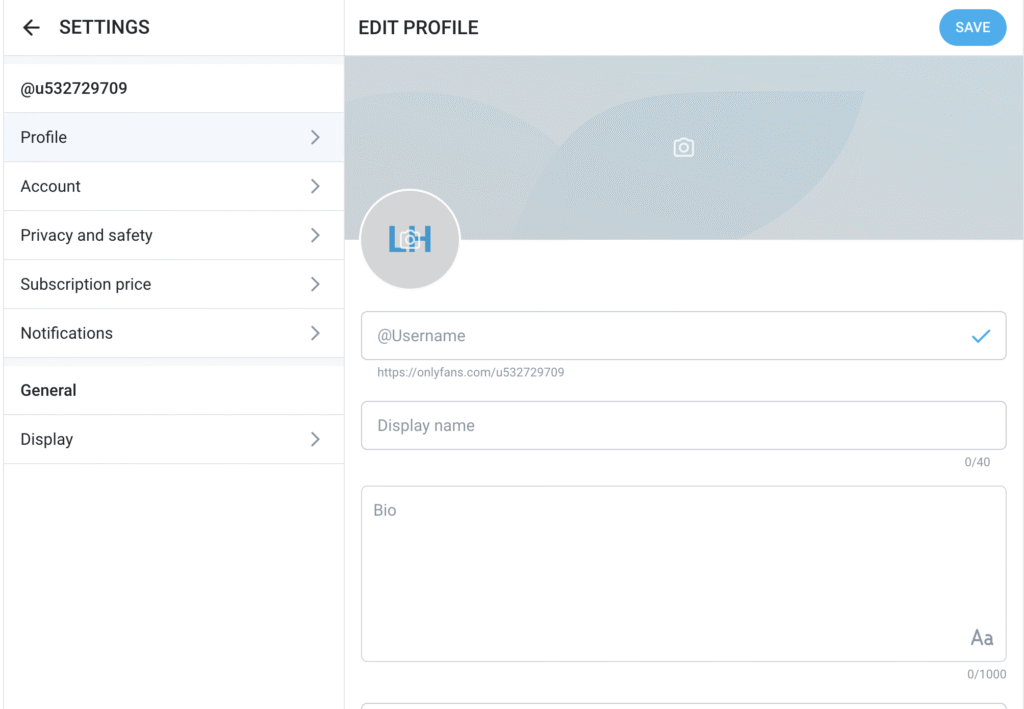
Step 1. Create your OnlyFans account
Sign up using your email address and complete the basic profile setup. Choose your username carefully – changing it later is possible, but starting with a good one helps. If you need inspiration, check out our guide on OnlyFans username ideas.
Step 2. Enter your personal details
Your legal name and date of birth must match your ID exactly. Even small differences, such as missing middle names or spelling variations, can cause verification issues.
Step 3. Upload your ID correctly
Take a clear photo of your ID:
- Use good lighting
- Avoid glare or shadows
- Make sure all text is readable
- Do not crop out edges
Blurry or partially hidden IDs are one of the most common reasons OnlyFans ID verification is not working.
Step 4. Complete the verification submission
Upload your selfie and submit the verification form. Avoid using filters, beauty effects, or edited images. OnlyFans uses automated checks, and edited photos often fail instantly.
How long verification usually takes
Verification can take anywhere from a few minutes to 24-48 hours. In some cases, it may take longer, especially if the system flags something for manual review.
OnlyFans verification not working? Common problems explained
If your verification isn’t going through, you’re not alone. These are the most common issues creators face.
OnlyFans age verification not working
Age verification often fails due to:
- Incorrect birthdate entered during signup
- ID photo not clearly showing date of birth
- Poor image quality
Double-check your details and resubmit with a clearer photo if needed.
OnlyFans ID verification not working
This usually happens when:
- The ID is expired
- The image is blurry or dark
- The name on the ID doesn’t match your profile
Make sure everything matches exactly before retrying.
Verification stuck in review
If your verification has been pending for several days, it’s usually safe to wait. Repeated submissions in a short time can slow things down rather than help.
Verification rejected without a clear reason
Sometimes OnlyFans rejects verification without explaining why. In most cases, this is due to image quality or mismatched information. Carefully resubmitting with better photos often solves the issue.
Final thoughts
OnlyFans verification can feel frustrating, especially when it doesn’t work on the first try. The good news is that most issues are easy to fix once you know what to look for.
Take clear photos, make sure all details match your ID, and avoid rushing the process. Once verified, you’ll be able to focus on building your profile, growing your audience, and turning your OnlyFans account into a real income stream.
If you’re serious about long-term success, keep learning – from promotion strategies to posting schedules. Verification is just the first step.
Ready to collaborate?
Whether you’re a creator or an agency in the OnlyFans space, let’s build something extraordinary together. Reach out and start your journey with THEWEBADDICTED.
Get in touch