

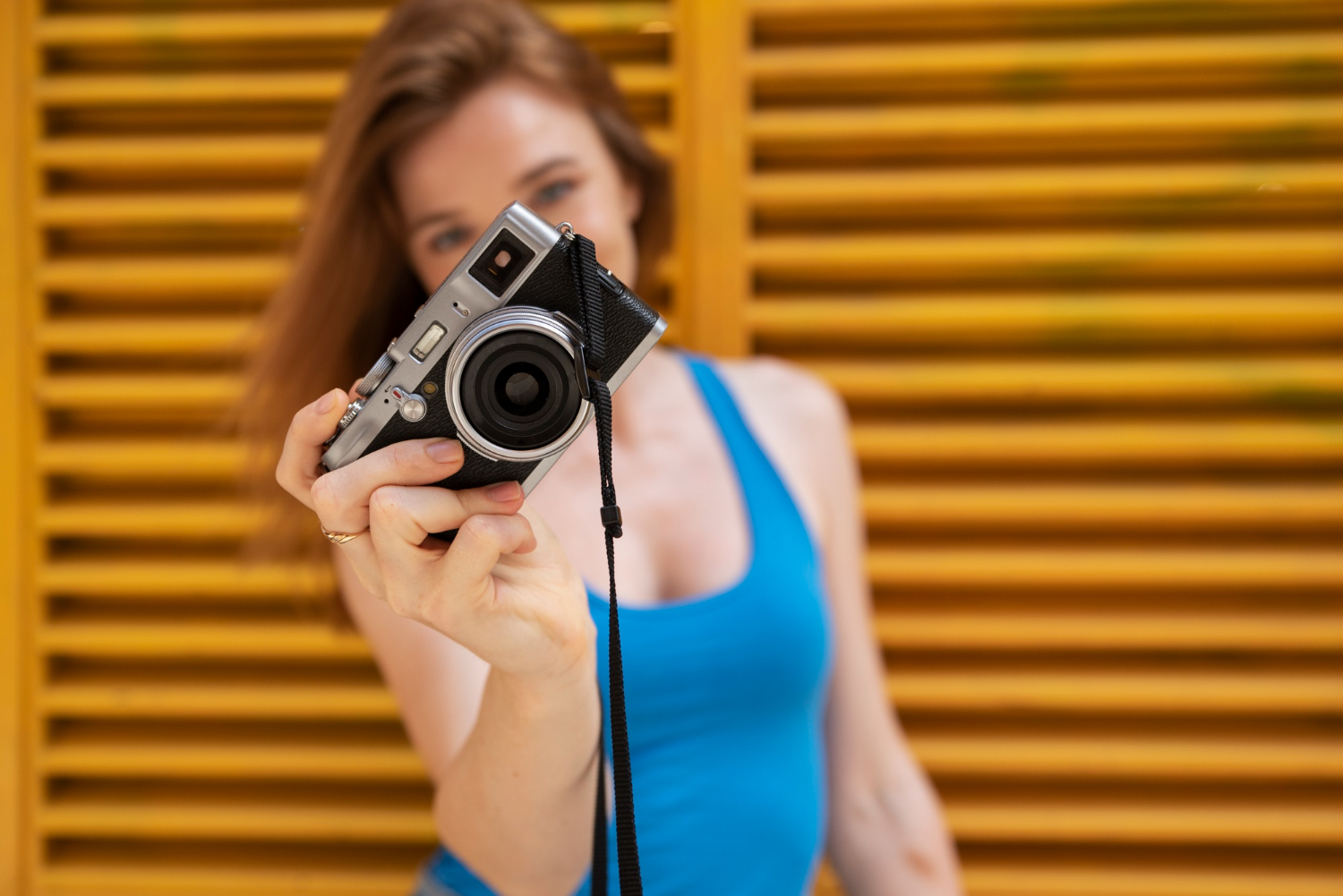
If you’re creating content on OnlyFans in 2026, quality matters more than ever. In a space where hundreds of new creators join every day, standing out isn’t just about your personality – it’s about presentation. Lighting, setting, and especially video quality can make or break a fan’s decision to subscribe or tip. One of the most important upgrades you can make is choosing the best camera for OnlyFans.
Whether you’re shooting solo content, doing live shows, or creating premium pay-per-view material, your camera is the most critical part of your production setup. This guide covers everything you need to know – from what to look for in a camera, to the best models across various price ranges, and how better visuals can help you grow your income on the platform.
What to look for in a camera for OnlyFans
Choosing the right camera for OnlyFans isn’t about chasing the most expensive model. It’s about finding a camera that fits your needs, setup, content style, and workflow. Below are the most important features to consider before buying.
1. Resolution & image quality
At a minimum, you want a camera that shoots in Full HD (1080p). If you’re planning on creating premium content or recording longer videos, 4K resolution offers more detail, sharper visuals, and better post-editing flexibility. Cameras with larger sensors also perform better in low-light situations – something to keep in mind if you’re filming indoors.
2. Video frame rate
A camera that records in 60 frames per second (fps) provides smoother motion, which is great for action-oriented content or dynamic scenes. While 30fps is still common and acceptable, 60fps gives your videos a more polished, professional look.
3. Autofocus and face tracking
Autofocus is a must. Many entry-level DSLRs or webcams struggle with focusing if you move around a lot. Face tracking or eye-detect autofocus ensures that you stay sharp no matter how much you move in front of the lens.
4. Flip screen or articulating display
If you’re filming yourself, a flip-out screen is essential. It allows you to frame your shot properly without guessing, which saves time and increases shooting confidence.
5. Audio input
While camera microphones have improved, they often lack depth and clarity. Having an external mic input gives you the flexibility to connect a lavalier mic, shotgun mic, or even use a wireless audio setup for much better sound quality.
6. Portability vs. studio setup
Some creators need a camera they can take anywhere, while others shoot everything from home. Mirrorless or DSLR cameras tend to work best for studio setups, while compact cameras and smartphones are perfect for creators who need mobility or film in different rooms or locations.
Best cameras for OnlyFans creators (2026 recommendations)
Here’s a curated list of top-rated cameras that are perfect for OnlyFans creators, organized by use case and budget level.
Best overall camera for OnlyFans creators
Sony ZV-E10 (Mirrorless Camera)
- Resolution: 4K @ 30fps, 1080p @ 120fps
- Strengths: Flip screen, advanced autofocus, compact design, interchangeable lenses
- Price: Around $700 (body only)
Why it’s great: Built for creators, this camera balances portability with professional-quality video. The interchangeable lens system lets you grow over time. It also performs well in low light – perfect for bedroom scenes or night shoots.
Best budget camera
Logitech StreamCam
- Resolution: 1080p @ 60fps
- Strengths: Plug-and-play, auto-framing, great for streaming and Zoom content
- Price: Around $150
Why it’s great: If you’re just getting started and don’t want to invest in a DSLR, the Logitech StreamCam offers excellent value. It’s a top pick for creators doing live shows or chatting one-on-one with fans.
Best camera for live shows
Elgato Facecam Pro
- Resolution: 4K @ 60fps
- Strengths: Ultra-high frame rate, low latency, clean HDMI output
- Price: Around $300
Why it’s great: Designed for streamers, the Facecam Pro gives creators crisp video and seamless streaming integration. It’s also a good option if you don’t want the complexity of setting up a full camera rig.
Best smartphone alternative
iPhone 15 Pro / Samsung Galaxy S24 Ultra
- Resolution: 4K @ 60fps, cinematic mode
- Strengths: Excellent mobile cameras, built-in stabilization, apps for editing and uploading
- Price: Varies depending on storage model
Why it’s great: If you’re already using a high-end phone, this might be all you need. Combine it with a tripod and good lighting, and you can shoot premium content without a traditional camera.
Bonus: lighting and setup tips
Even the best cameras for OnlyFans won’t deliver good results without proper lighting. A solid lighting setup can dramatically change the tone and quality of your content. Here’s what to consider:
1. Ring lights
Affordable, easy to use, and great for close-up work. Look for a model with adjustable color temperature and brightness.
2. Softboxes
Ideal for evenly lighting your space. Softboxes reduce harsh shadows and create flattering, natural-looking skin tones.
3. Colored LED accent lights
These can help set the mood and create brand consistency. For example, using signature colors in your background lighting helps make your content instantly recognizable.
4. Tripods and mounts
Stability is essential. A shaky video – no matter how high the resolution – will kill the vibe. Use adjustable tripods and mounts to frame shots consistently.
The Impact of camera quality on income
There’s a direct link between content quality and creator success. Fans are more likely to subscribe, tip, and purchase exclusive content from creators who offer high-resolution, well-lit videos. A great camera won’t make up for lack of personality or poor engagement – but it enhances your presentation significantly.
Higher-quality visuals can lead to:
- Increased conversion rates from profile views to paid subscriptions
- Better retention from existing fans who appreciate premium content
- More tips and PPV sales, especially when content looks cinematic or professionally produced
If you’re curious about how your earnings could change with higher production value, check out this detailed breakdown of average OnlyFans income. It gives real insight into what creators at different levels are earning – and how better content affects that.
Should you upgrade right wway?
It depends on where you are in your creator journey. If you’re just starting out, it’s smart to begin with what you have – like a smartphone – and focus on building your audience and learning what kind of content performs best. As you grow, reinvest your earnings into better gear.
Not sure how to get started? Our guide on how to start OnlyFans walks you through everything from account setup to branding tips – making your first camera decision a lot easier.
Conclusion
Investing in a great camera for OnlyFans is one of the best steps you can take to level up your content. Whether you’re going live, shooting photo sets, or creating longer video content, high production quality signals value – and fans notice.
You don’t need to break the bank. Choose the best gear within your budget, focus on content consistency, and pair it with good lighting and clear audio. As you grow your brand, your gear can grow with you – and your income will likely follow.
Choosing the best camera for OnlyFans creators is about being intentional: about how you present yourself, how you produce content, and how you invest in your creator business.
Ready to collaborate?
Whether you’re a creator or an agency in the OnlyFans space, let’s build something extraordinary together. Reach out and start your journey with THEWEBADDICTED.
Get in touch